Overview
Searches, clicks and favorites are recorded. The Search Log page shows analytics reports that aggregate them, and a list of the individual logs.
To open the page, select [System Info > Search Log] in the left menu. The “Overview” tab is shown first. Viewing requires the admin-searchlog or admin-searchlog-view role; admin-searchlog-view cannot delete logs.
Analytics Reports
Period and Filters
At the top of each tab, choose the period to aggregate from “Today”, “Yesterday”, “Last 7 days”, “Last 28 days” and “Last 90 days”, or specify a start and end date with “Custom” (up to 366 days). With “Compare to previous period”, the values are compared with the period of the same length just before. You can also choose the access type and the number of table rows. Periods and chart buckets follow the calendar days of the server’s time zone.
Tabs
Overview: the searches, users, zero-hit rate, click-through rate and average response time, each with a small trend chart and its change from the previous period; a trend chart with a metric switcher (the previous period is drawn as dashed lines when compared); and the top queries and zero-hit queries.
Queries: per query, the searches, users, average hits, clicks, click-through rate and average click position. It also shows the zero-hit queries (with the time they were last searched) and the zero-click queries, which had hits but whose results were never clicked.
Clicks: the most clicked URLs, the most favorited URLs, the click position distribution and the rate of viewing page 2 and later.
Performance: the average, median (p50), p95 and p99 response time, the response time distribution, the slowest queries and the query time.
Audience: new and returning users, access types, searches by weekday and hour, and the top user agents, referers, languages and virtual hosts. “Searches by Role and Group” shows the searches, users and zero-hit rate of each role and group. A search counts toward every role and group of the user who ran it, so the rows can add up to more than the total. Individual users are not listed.
AI Chat: the requests, users, total tokens, average response time and error rate of the AI search mode (RAG chat), with the top users and the requests by intent and by model. Chat usage is recorded while
rag.chat.log.enabled(default:true) is on. Questions and answers are not recorded. Token counts are recorded only when the LLM plugin reports them.Logs: the list of individual logs; see “Log List” below.
Note
Per-query click metrics and the zero-click queries count only clicks recorded since search words started to be recorded with clicks (Fess 15.9 and later). The overall clicks and click-through rate include older clicks. Some values, such as the number of users, are approximate.
Looking into Zero-Hit Queries
On the “Overview” and “Queries” tabs, click a zero-hit query to open the “Logs” tab with the search logs of that query, filtered to “Zero hits only”. You can see which searches found nothing and use that to add documents, synonyms or related queries.
Downloading CSV
Every table and chart of the analytics reports has a CSV link that downloads what it aggregates for the current period, comparison, access type and size. The filter bar also has a link to a CSV of the metrics. Numbers are written as they are (ratios as 0 to 1, times in milliseconds). A compared chart gets an extra <series>_previous column.
Log List
The “Logs” tab lists search logs, click logs, favorite logs and user logs. You can filter them by log type, query ID, user ID, time range, access type and search word, and search logs also by hit count (“All”, “Zero hits only”, “One or more hits”). To see the details of a log, click it.
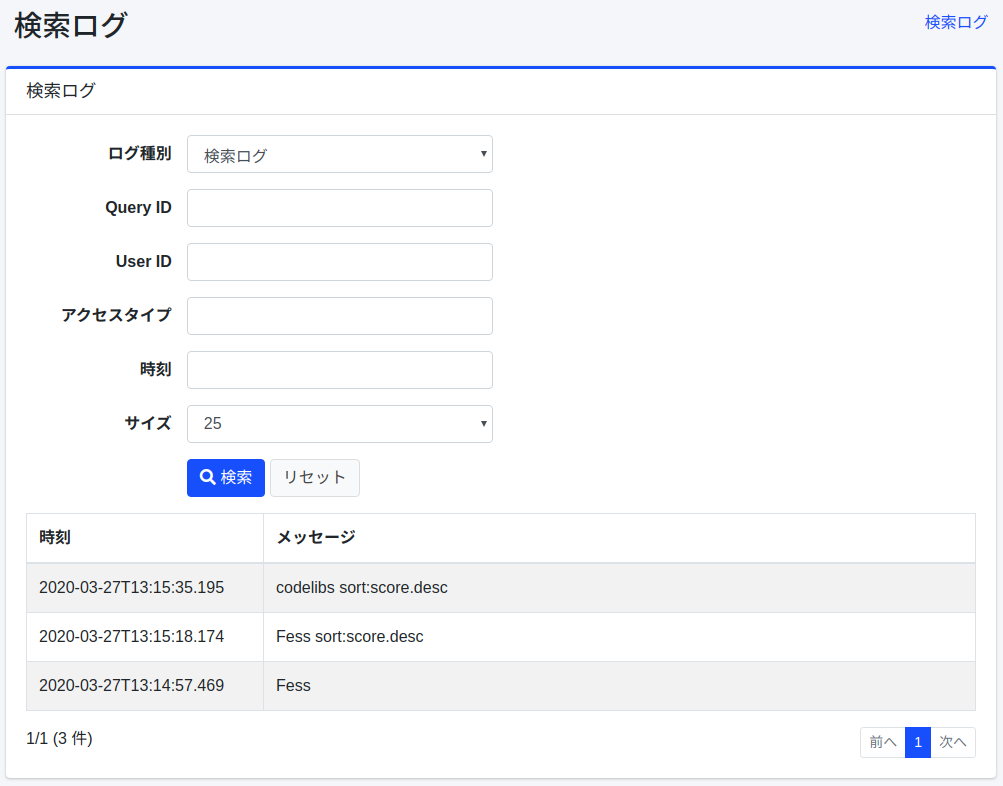
Click [Download CSV] to download the logs that match the current filter as CSV, newest first, with no row limit. The header row holds the field names, so it does not depend on the UI language.
CSV files, including those of the analytics reports, are written in the encoding of csv.file.encoding; a UTF-8 file starts with a byte order mark. A value that starts with =, +, -, @, a tab or a carriage return gets a leading ', so that a spreadsheet does not run it as a formula.
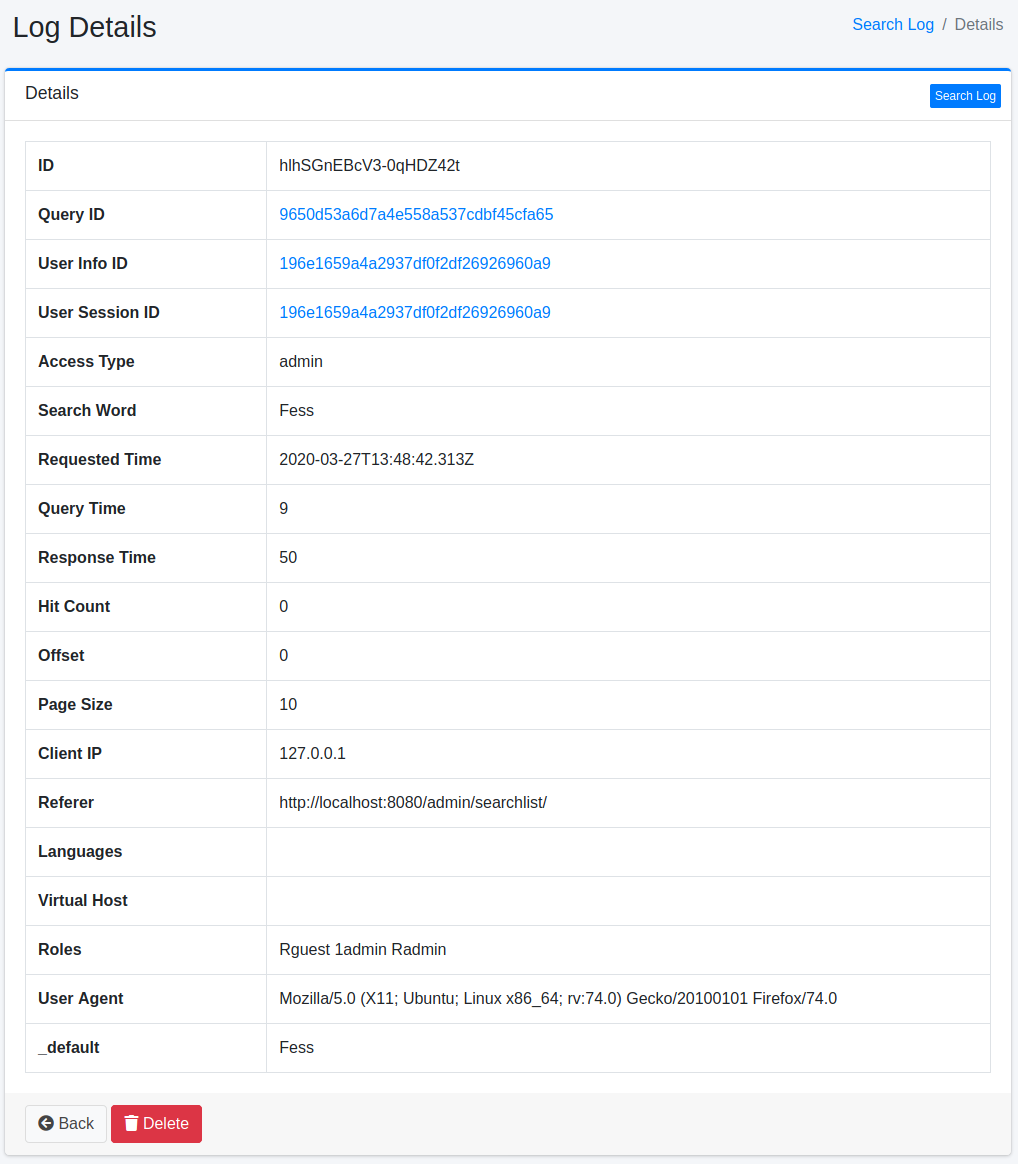
Details
Click a log in the list to show its details.