
Overview
The plugin settings page manages plugins.
Management Operations
Display Method
To open the installed plugin list page shown below, click [System > Plugin] in the left menu.
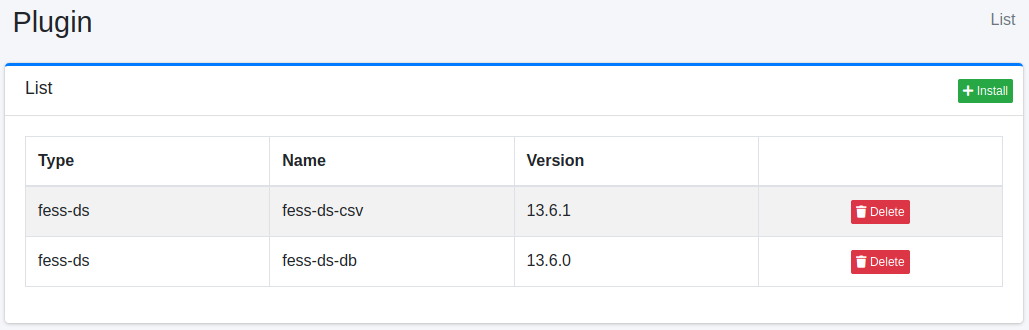
To uninstall, click the Delete button.
Installation
To install a new plugin, click the Install button.
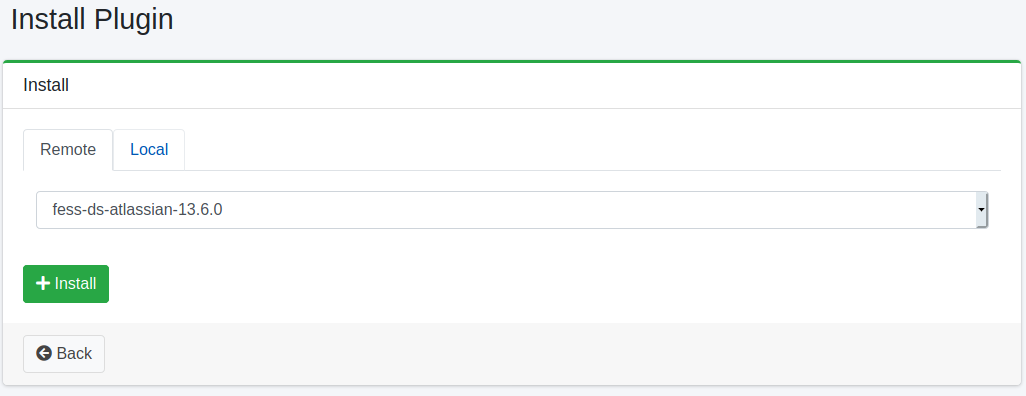
Select the plugin you want to install from the pull-down menu on the “Remote” tab and click the Install button to start the installation. The pull-down menu lists the plugins in the plugin repositories (plugin.repositories). If they cannot be reached, “Could not find available plugins.” is shown.
To install a jar file you have, choose it in “Jar File” on the “Local” tab and click the Install button. Only files with the .jar extension are accepted. Leave the pull-down menu on the “Remote” tab at its first entry (-); if another plugin is selected there, that plugin is installed instead. To install plugins where there is no Internet access, see Without Internet Access.
Restart Fess after installing a plugin.
Installing from the Command Line
bin/fess-setup installs plugins from the command line.
Without a version, the repository is asked for the newest one built for this Fess, so a different version can be installed on each run. To pin it, write the version after the plugin name, separated by a colon.
Plugins are released separately, so the plugins installed together are not necessarily at the same version. Give each one its own. A plugin named without a version uses the value of --version.
The previously installed version of a plugin is deleted once the new one has been installed. A version that does not exist exits with code 1, so a build step such as a Dockerfile fails instead of carrying on with the plugin missing.
bin/fess-setup list plugins shows the plugins published for this Fess and which of them are installed, list installed shows the installed plugins without contacting the repository, upgrade plugins reinstalls every installed plugin at the version that fits this Fess, and remove plugin deletes a plugin. Restart Fess after installing, upgrading or removing plugins. See fess-setup Command for every command and option.