
Overview
You can manage words to exclude from stemming processing. Since stemming processing is fundamentally rule-based, unintended normalization may occur. For example, the word “Maine” (the name of a U.S. state) would be normalized to “main”.
To keep this word searchable as it is, register maine (write the word in lowercase; see “Configuration Items” for details).
The list shows one dictionary per language (en/protwords.txt, de/protwords.txt and so on). Choose and edit the dictionary that matches the language of the word. See Dictionary for which dictionary applies to which field. Saving a change is not enough for it to take effect in searches. See Applying Dictionary Changes for how to apply it.
Management Operations
Display Method
To open the Protwords configuration list page shown below, click [System > Dictionary] in the left menu, then click protwords.
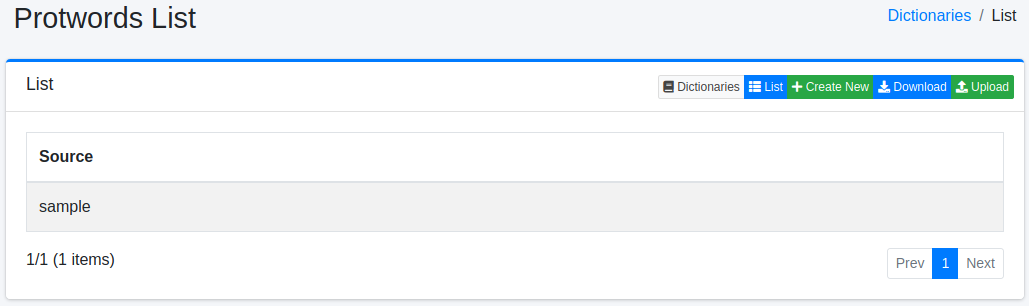
Click the configuration name to edit it.
Configuration Method
To open the Protwords configuration page, click the New button.
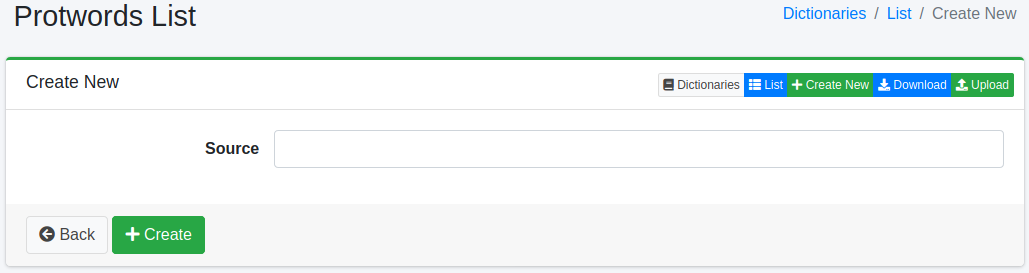
Configuration Items
Word Information
Enters words to exclude from stemming processing.
Enter words in lowercase. The analysis converts a word to lowercase before it checks the word against this dictionary, so entering Maine does not protect it. In the example in the overview, enter maine.
Download
You can download in Protwords dictionary format.
Upload
You can upload in Protwords dictionary format.
Warning
Uploading replaces the content of the dictionary with the content of the uploaded file. Any word that is not in the file, including words registered on the screen, is removed. If necessary, download the dictionary first and include its content in the file you upload.