
Overview
Backup page allows you to download and upload your configuration data for Fess.
Management Operations
Download Data
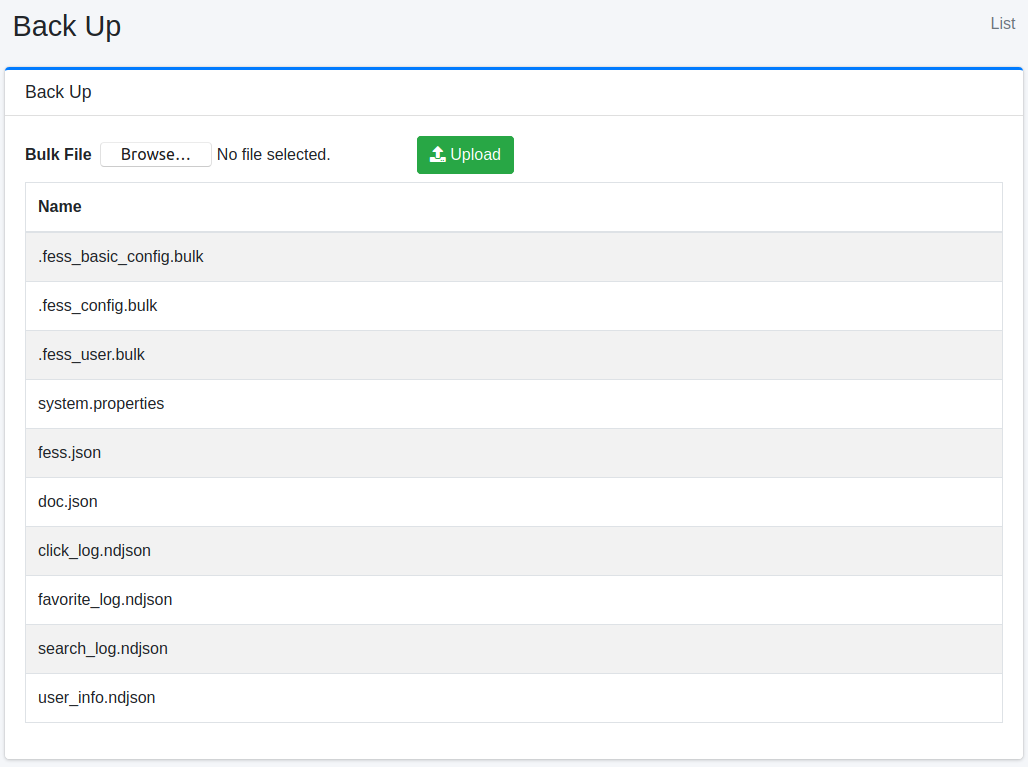
Fess manages configuration data as indices. To download your configuration, click the index name.
Note
Dictionary files (synonyms, stop words, and so on) are not part of the backup. They are stored in the dictionary directory of the search engine (FESS_DICTIONARY_PATH), so copy them separately if you need them.
fess_config.bulk
fess_config.bulk contains configuration information for Fess.
fess_basic_config.bulk
fess_basic_config.bulk contains Fess configuration information excluding crawl information, failure URLs, job logs, the thumbnail queue, user tags, and similar data.
fess_user.bulk
fess_user.bulk includes information about users, roles, and groups.
system.properties
system.properties contains general settings information.
fess.json
fess.json contains configuration information for the fess index.
doc.json
doc.json contains mapping information for the fess index.
chat_log.ndjson
chat_log.ndjson includes AI chat usage log information.
click_log.ndjson
click_log.ndjson includes click log information.
favorite_log.ndjson
favorite_log.ndjson contains favorite log information.
search_log.ndjson
search_log.ndjson includes search log information.
user_info.ndjson
user_info.ndjson contains information about search users.
Upload
Configuration data can be imported by uploading a file. The files that can be restored are as follows.
*.bulksystem.propertiesfess.jsonanddoc.json: replace the index definition files that Fess uses. The settings and mapping of an existing index are not changed on the spot.gsa*.xml: a Google Search Appliance configuration file. It is imported as web crawl configuration, file crawl configuration, and labels.
*.ndjson files (search logs and other logs) cannot be uploaded to restore them.
A document in a *.bulk file that has an updatedTime is written only when the stored document does not exist, has no updatedTime, or is older. A document that is not newer is skipped and logged at INFO level in fess.log, so a restore does not roll back changes made after the backup was taken, and the scheduled jobs bundled with the installed version (updatedTime 0) are kept as they are. Documents without an updatedTime are always written.
Note
The skip is logged at INFO level, so with the default log level (warn) nothing is written to fess.log. To see these entries, set the log level to info before the restore. You can change it with “Log Level” under [System > General] in the administration screen (it returns to its configured value when Fess restarts), or, on Linux, with FESS_LOG_LEVEL=info. See Log Configuration for details.
Note
Fess 15.9 stores the password of web and file authentication encrypted with the application cipher key (app.cipher.key in fess_config.properties), so fess_basic_config.bulk and fess_config.bulk contain the encrypted values. When you restore a backup onto another installation, carry the same app.cipher.key over. With a different key, crawls that use these credentials fail with an error. A backup made before 15.9 holds them in plain text and keeps working.
Other values in a *.bulk file are not encrypted, so keep these files as sensitive files.