
Overview
You can override the stem of specific words with a stem you specify. Use it for words whose stemming result is not what you intend. For example, by making the stem of mice be mous, you can search for mice and mouse as the same word (the English stemmer turns mouse into mous).
Replacing characters such as symbols, character codes or full-width/half-width characters with other characters is not what this dictionary does. Use the character replacement dictionary (Mapping Dictionary) for that.
The list shows one dictionary per language (en/stemmer_override.txt and so on). Choose and edit the dictionary that matches the language of the word. See Dictionary for which dictionary applies to which field. Saving a change is not enough for it to take effect in searches. See Applying Dictionary Changes for how to apply it.
Management Operations
Display Method
To open the stemmer override configuration list page shown below, click [System > Dictionary] in the left menu, then click stemmeroverride.
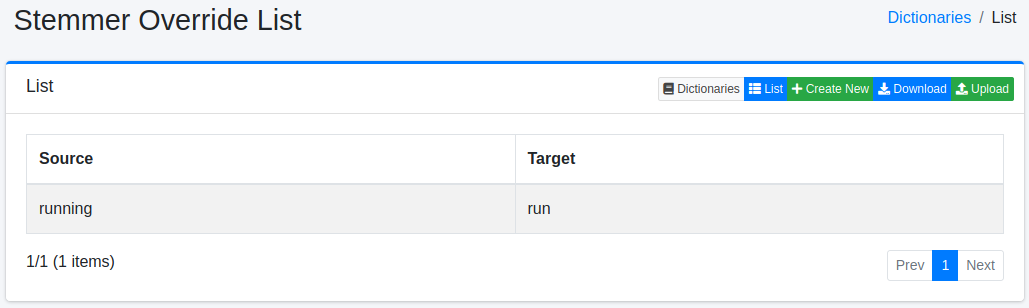
Click the configuration name to edit it.
Configuration Method
To open the stemmer override configuration page, click the New button.
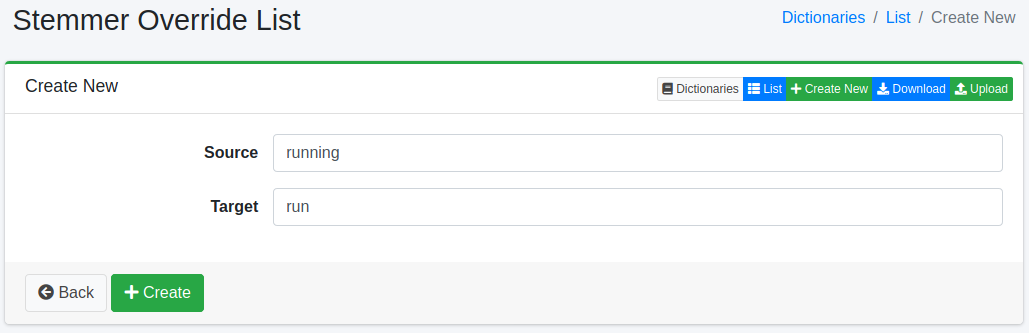
Configuration Items
Source
Enters the word whose stem you want to override. The analysis converts a word to lowercase before it checks the word against this dictionary, so enter it in lowercase.
Target
Enters the word to use as the stem of the word entered in the source field. The target word is indexed as it is, without being stemmed. Because search terms are stemmed, to get the same results as the original word, enter the result of passing the ordinary word through the stemmer (mous for mouse). For example, enter mice as the source and mous as the target.
Download
You can download in stemmer override dictionary format.
Upload
You can upload in stemmer override dictionary format.
Warning
Uploading replaces the content of the dictionary with the content of the uploaded file. Anything that is not in the file, including entries registered on the screen, is removed. If necessary, download the dictionary first and include its content in the file you upload.