
Overview
Log Files page allows you to download log files.
Management Operations
Download Log File
Select System Info > Log File in a left menu to display a log file list.
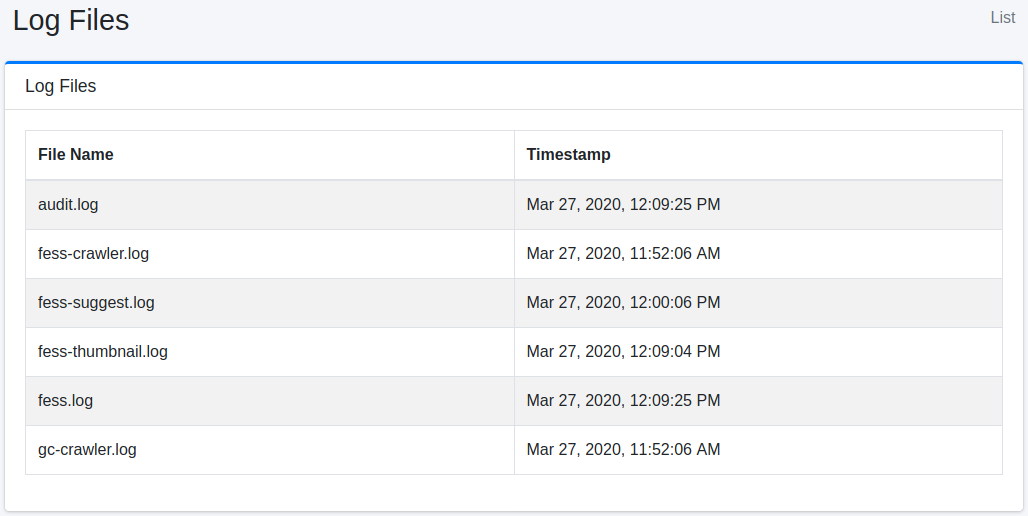
audit.log
Audit log file.
server_?.log
System log file.
fess.log
Application log file.
fess-crawler.log
Crawler log file.
fess-thumbnail.log
Thumbnail log file.
fess-suggest.log
Suggest log file.
fess-urls.log
Crawl statistics for each URL, such as the time each processing step took.
searchlog.log
Search log file. When “Search Log” under [System > General] is enabled, one line (JSON) is appended for each search in the default configuration. A line contains the fields of the documents returned by that search (logging.search.docs.fields), so its size grows with the number of results returned (with num=100, a line can be around 70 KB). For log rotation and retention, see Log Configuration. To leave the fields of the returned documents out of the search log, set logging.search.docs.enabled=false in fess_config.properties; to stop writing to this file, set logging.search.use.logfile=false.
gc-crawler.log
Garbage collection log file of the crawler process (written by the default “Default Crawler” job).
gc-fess.log
Garbage collection log file of Fess itself. It is written only when the environment variable FESS_USE_GC_LOGGING is set to a non-empty value (see Startup, Shutdown, and Initial Setup).