
Overview
Here, we will explain the configuration for enabling file authentication when crawling files. Fess supports authentication for FTP and Windows shared folders.
Management Operations
Display Configurations
To access the list page for configuring File Authentication shown below, click on “[Crawler > File Authentication]” in the left menu.
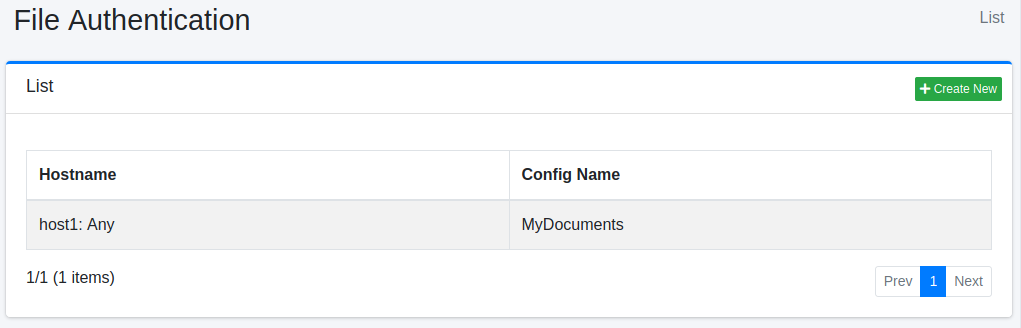
To edit, click on the configuration name.
Create Configuration
To open the File Authentication settings page, click on the “Create New” button.
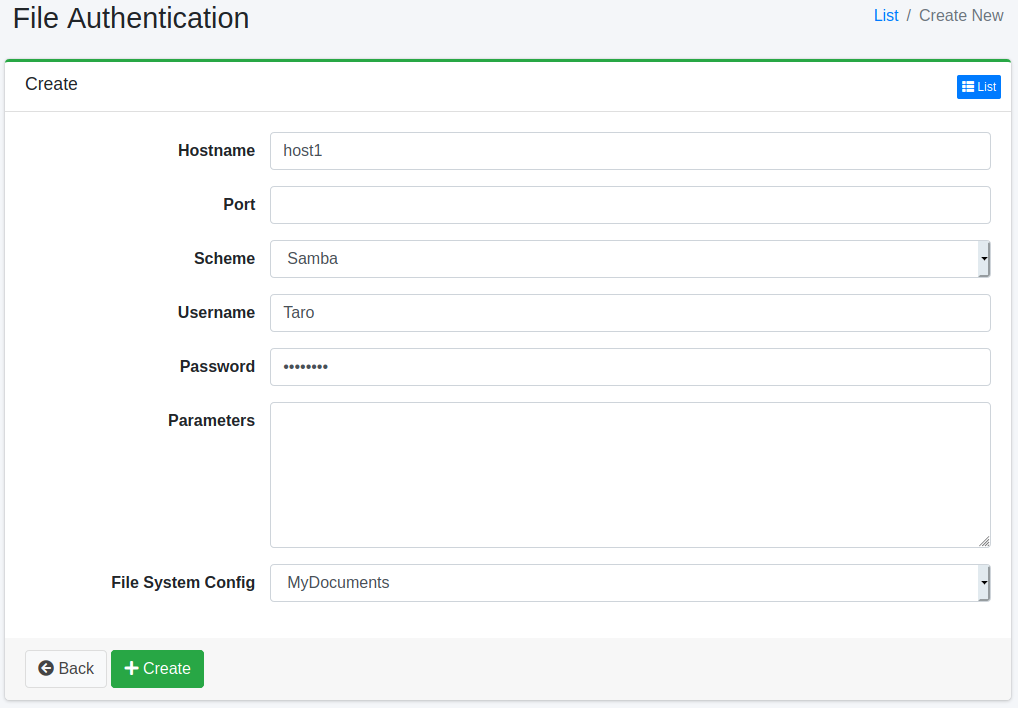
Configurations
Hostname
Specify the hostname of the site that requires authentication. Use the same name as the hostname in the URL to be crawled. This authentication is not used for a URL written with a different name (for example, an IP address instead of an alias).
Port
Specify the port of the site that requires authentication. If left blank, the list shows “Any”. The meaning of a blank port depends on the scheme.
FTP: Used for URLs with any port (a URL without a port is treated as port 21).
SAMBA: Used only for URLs that do not contain a port (
smb://server/share/). It is not used for a URL that contains a port, such assmb://server:445/share/. To crawl a URL that contains a port, specify the same port here.
Scheme
Select the authentication method. You can choose between FTP or SAMBA (Windows shared folder authentication).
Username
Specify the username to log in to the authentication site.
Password
Specify the password to log in to the authentication site.
Parameters
If there are any additional settings required to log in to the authentication site, specify them here. For SAMBA, you can set the value for the domain. Use the following format to specify the parameters:
File System Config
Specify the crawl configuration that will use this authentication setting.
Delete Configuration
Click on the configuration name on the list page, and when the delete button is clicked, a confirmation screen will appear. Clicking the delete button will remove the configuration.