
Overview
Here, we will explain the configuration for handling duplicate hosts. Duplicate hosts are used when you want to treat different hostnames as the same during crawling. For example, if you want to treat “www.example.com” and “example.com” as the same site, you can use this configuration.
Management Operations
Display Configurations
To access the list page for configuring duplicate hosts shown below, click on “[Crawler > Duplicate Hosts]” in the left menu.
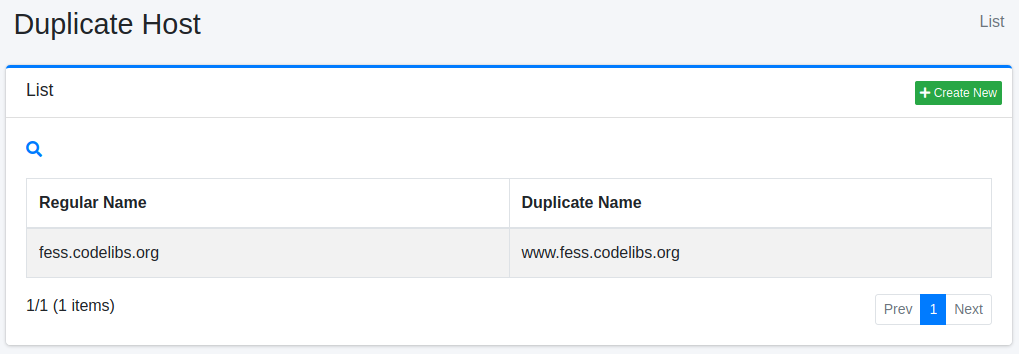
To edit, click on the configuration name.
Create Configuration
To open the Duplicate Hosts settings page, click on the “Create New” button.
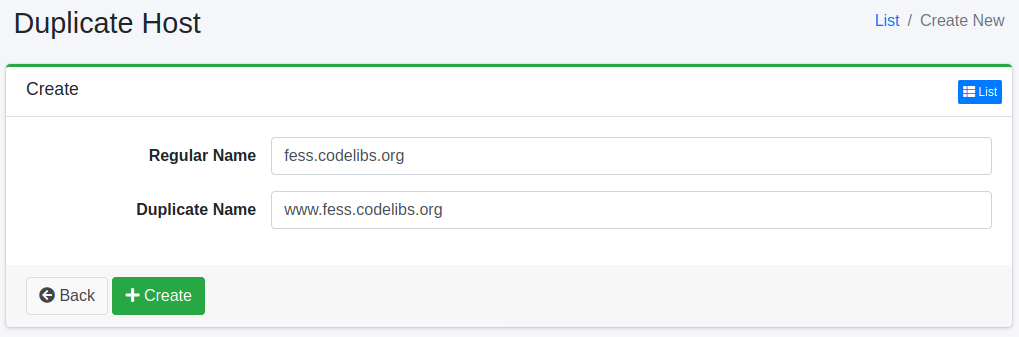
Configurations
Regular Name
Specify the canonical hostname. The duplicate hostnames will be replaced with the canonical hostname.
Duplicate Name
Specify the duplicate hostname that you want to replace.
Note
A URL whose hostname matches a duplicate name is replaced with the URL of the regular name before crawling. This applies to the URLs written in “URLs” (the start URLs) of the crawl configuration and to the URLs of links found during the crawl. As a result, “Included URLs” and “Excluded URLs” of the crawl configuration are evaluated against the URL after the replacement. Write them with the hostname of the regular name.
For example, if the regular name is example.com and the duplicate name is www.example.com, writing only https://www.example.com/.* in “Included URLs” excludes the start URL after the replacement (https://example.com/). In this case, no document is registered in the index, and neither an error nor a log message is output.
Delete Configuration
Click on the configuration name on the list page, and when the delete button is clicked, a confirmation screen will appear. Clicking the delete button will remove the configuration.