
Overview
Maintenance page provides system tools for managing Fess.
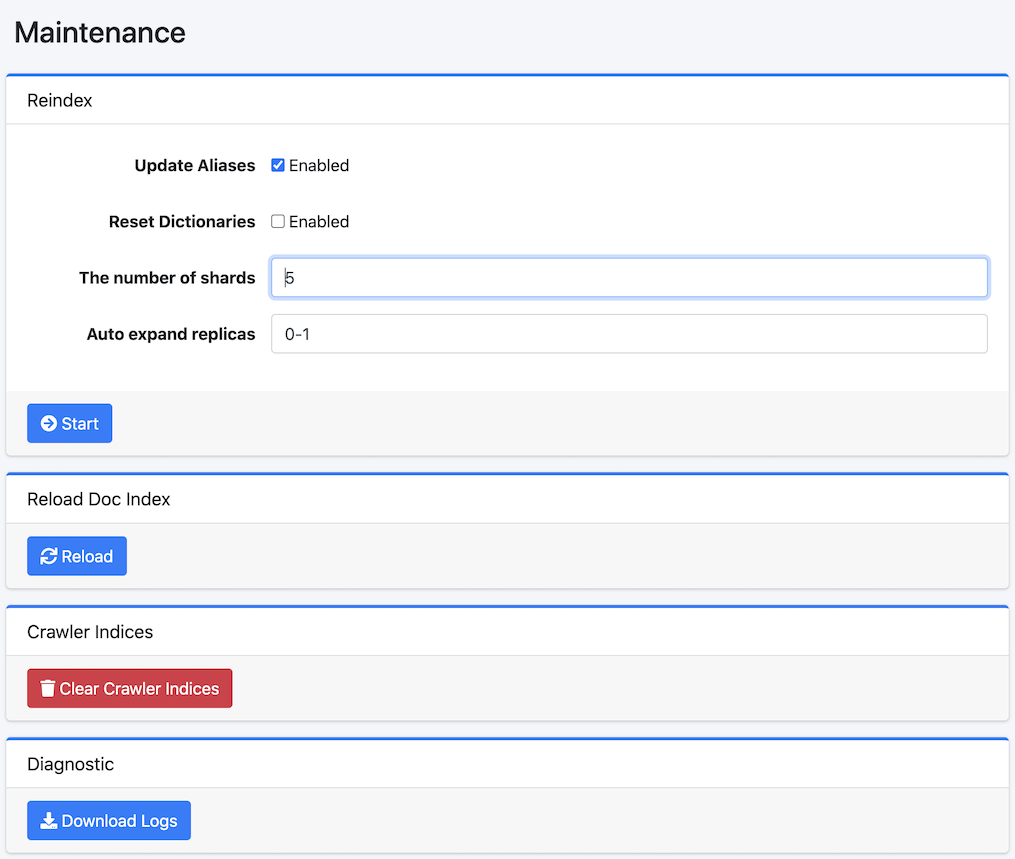
To display this page, select System Info > Maintenance in a left menu.
Operations
Reindex
Create new fess.YYMMDD index and copy documents from old fess index.
Update Aliases
Switch fess.search and fess.update aliases after reindexing if enabled.
Reset Dictionaries
Select Enabled if using factory default dictionaries.
The number of shards
Specify the number of shards(index.number_of_shards).
Auto expand replicas
Specify auto-expand the number of replicas(index.auto_expand_replicas).
Rebuild Config Index
You can rebuild configuration indices (fess_config, fess_user, fess_log) with the latest mappings. This operation runs in the background. Please back up your configuration before executing.
Target Indices
Select the indices to rebuild. You can choose from fess_config, fess_user, and fess_log.
Load Default Data
If enabled, default data will be loaded during the rebuild. Existing documents will not be overwritten.
Reload Doc Index
Reload(Close/Open) fess index to apply index settings.
Crawler Indices
Remove Crawler index to clear crawling data. Do not execute this task when Crawler is running.
Diagnostic
Download log files and system state information.