
Overview
This administration page allows you to manage Fess configuration settings. You can modify various Fess settings without restarting Fess.
Configuration Options
System
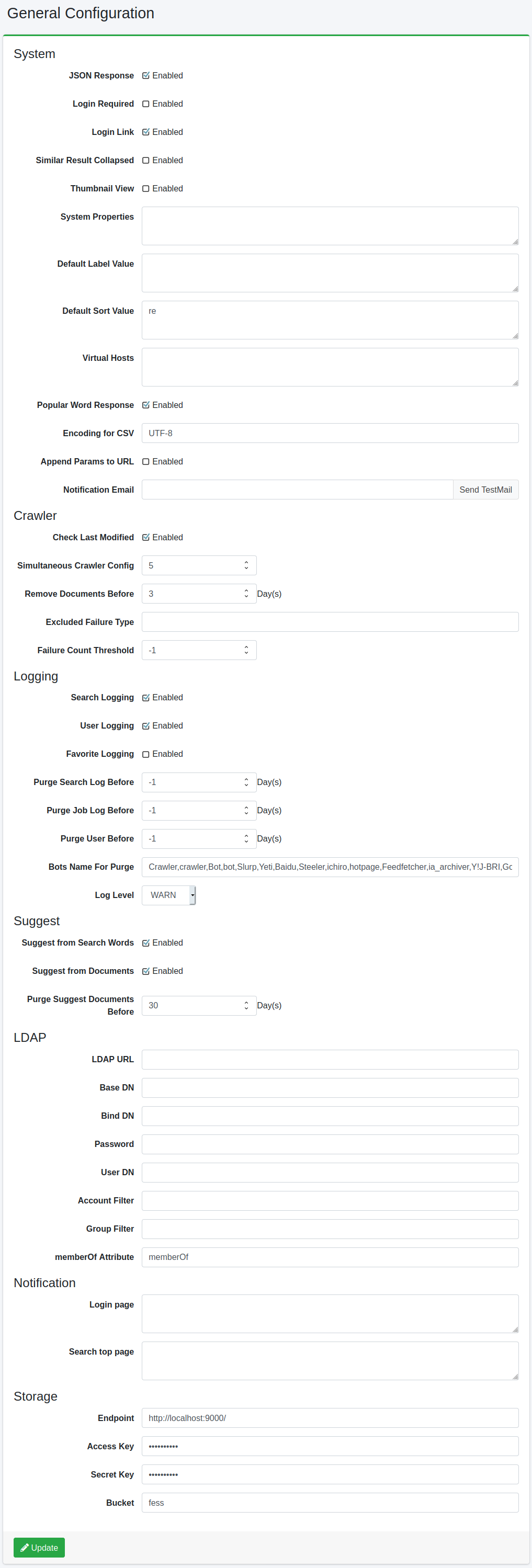
JSON Response
Specify whether to enable the JSON API.
Login Required
Specify whether to require login for search functionality.
Display Login Link
Configures whether to display a link to the login page on the search screen.
Result Collapse
Specifies whether to enable collapsing of duplicate results.
Thumbnail View
Specify whether to enable thumbnail display.
System Property
Configures the system properties of Fess. Specify in key=value format, one per line.
Default Label Value
Specifies the label value to add to the search conditions by default. To specify per role or group, add “role:” or “group:” prefix, such as “role:admin=label1”.
Default Sort Value
Specifies the sort value to add to the search conditions by default. To specify per role or group, add “role:” or “group:” prefix, such as “role:admin=content_length.desc”.
Virtual Host
Configures virtual hosts. For details, see Virtual Hosts in the Configuration Guide.
Popular Word Response
Specify whether to enable the popular word API.
CSV File Encoding
Specifies the encoding for downloadable CSV files.
Append Search Parameters
Enable when passing parameters to the search result display.
Search File Proxy
Specify whether to enable file proxy for search results.
Use Browser Locale
Specify whether to use the browser locale for search.
SSO Type
Specifies the single sign-on type.
None: Do not use SSO
OpenID Connect: Use OpenID Connect
SAML: Use SAML
SPNEGO: Use SPNEGO
Entra ID: Use Microsoft Entra ID
Crawler
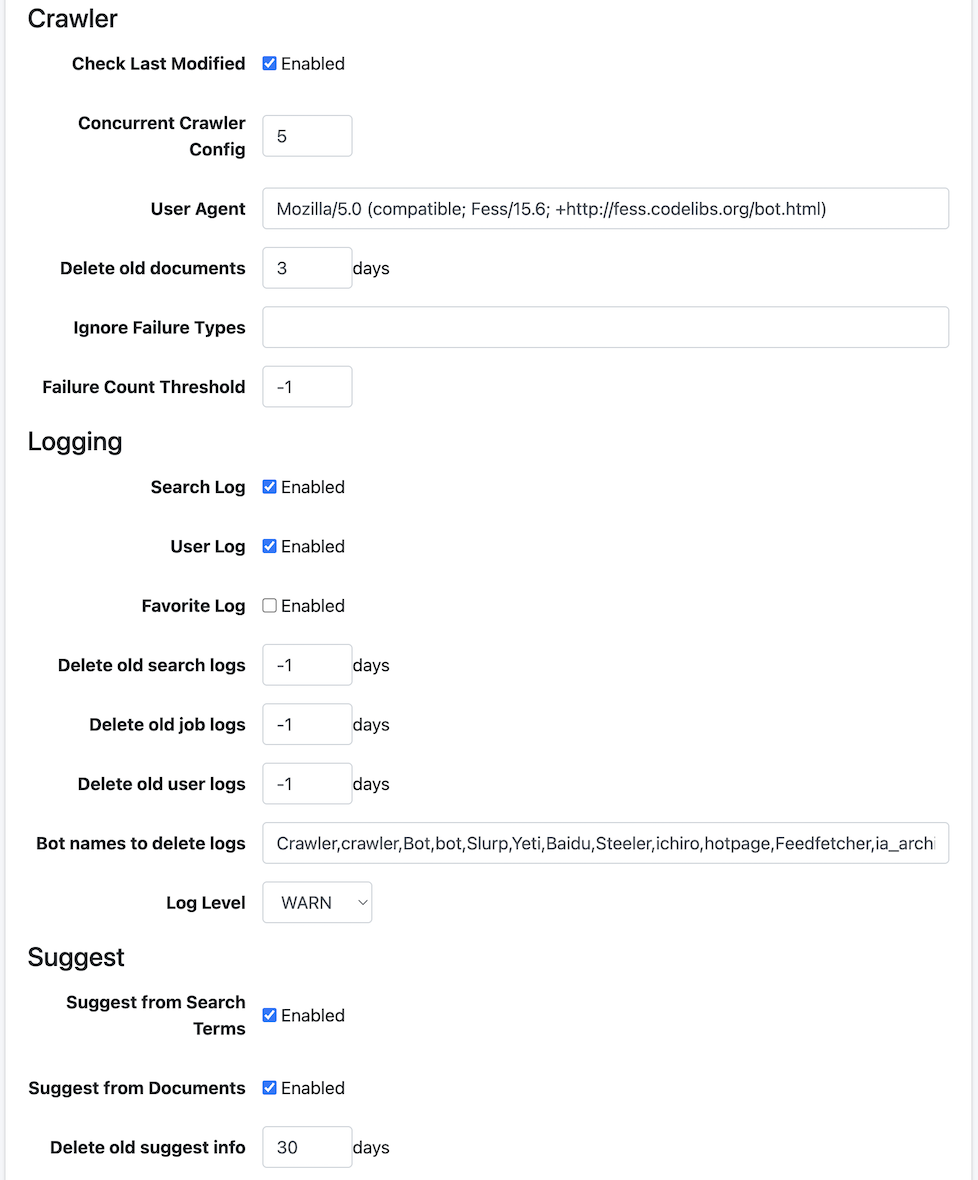
Check Last Modified
Enable to perform differential crawling.
Concurrent Crawler Config
Specifies the number of crawl configurations to execute simultaneously.
User Agent
Specifies the user agent name used by the crawler.
Delete old documents
Specifies the number of days for the retention period after indexing.
Ignore Failure Types
Failure URLs that exceed the threshold are excluded from crawl targets, but exception names specified here will be crawl targets even if they exceed the failure URL threshold.
Failure Count Threshold
If a crawl target document is recorded in failure URLs more times than specified here, it will be excluded from the next crawl.
Logging
Search Log
Specifies whether to enable recording of search logs.
User Log
Specifies whether to enable recording of user logs.
Favorite Log
Specifies whether to enable recording of favorite logs.
Delete old search logs
Deletes search logs older than the specified number of days.
Delete old job logs
Deletes job logs older than the specified number of days.
Delete old user logs
Deletes user logs older than the specified number of days.
Bot names to delete logs
Specifies bot names to exclude from search logs.
Log Level
Specify the log level for fess.log.
Suggest
Suggest from Search Terms
Specifies whether to generate suggest candidates from search logs.
Suggest from Documents
Specifies whether to generate suggest candidates from indexed documents.
Delete old suggest info
Deletes suggest data older than the specified number of days.
LDAP
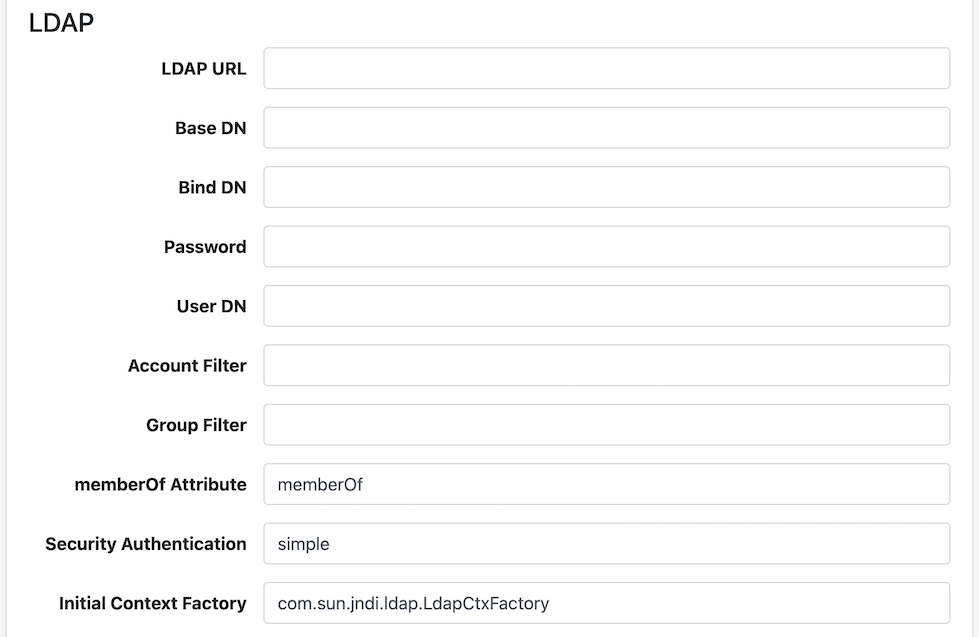
LDAP URL
Specifies the URL of the LDAP server.
Base DN
Specifies the base distinguished name for logging into the search screen.
Bind DN
Specifies the Bind DN for administrators.
Password
Specifies the password for the Bind DN.
User DN
Specifies the distinguished name for users.
Account Filter
Specifies the user’s Common Name, uid, etc.
Group Filter
Specifies the filter conditions for the groups to retrieve.
memberOf Attribute
Specifies the memberOf attribute name available on the LDAP server. For Active Directory, it is “memberOf”. For other LDAP servers, it may be “isMemberOf”.
Security Authentication
Specifies the LDAP security authentication method (e.g., simple).
Initial Context Factory
Specifies the LDAP initial context factory class (e.g., com.sun.jndi.ldap.LdapCtxFactory).
OpenID Connect
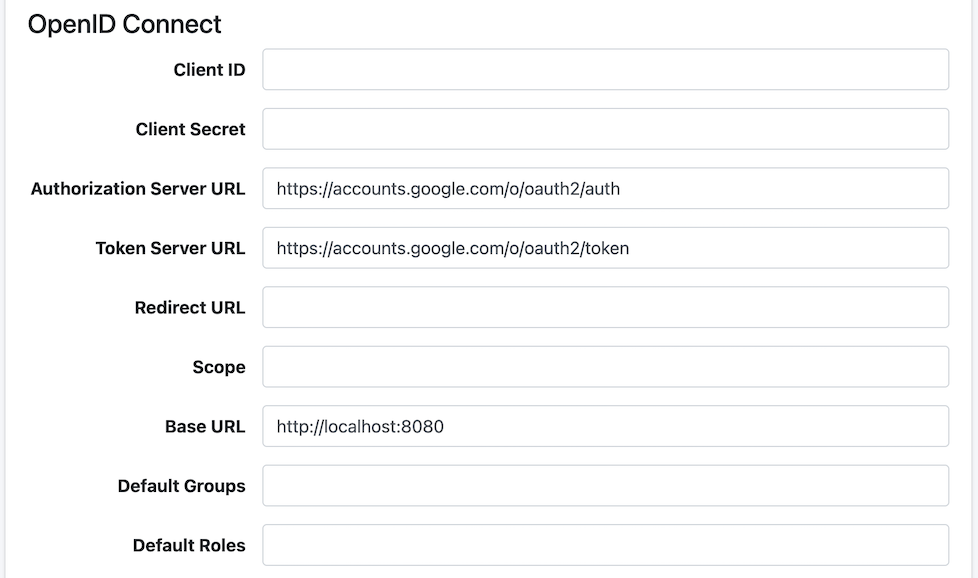
Client ID
Specifies the client ID of the OpenID Connect provider.
Client Secret
Specifies the client secret of the OpenID Connect provider.
Auth Server URL
Specifies the authorization server URL for OpenID Connect.
Token Server URL
Specifies the token server URL for OpenID Connect.
Redirect URL
Specifies the redirect URL for OpenID Connect.
Scope
Specifies the scope for OpenID Connect.
Base URL
Specifies the base URL for OpenID Connect.
Default Groups
Specifies the default groups to assign to users during OpenID Connect authentication.
Default Roles
Specifies the default roles to assign to users during OpenID Connect authentication.
SAML
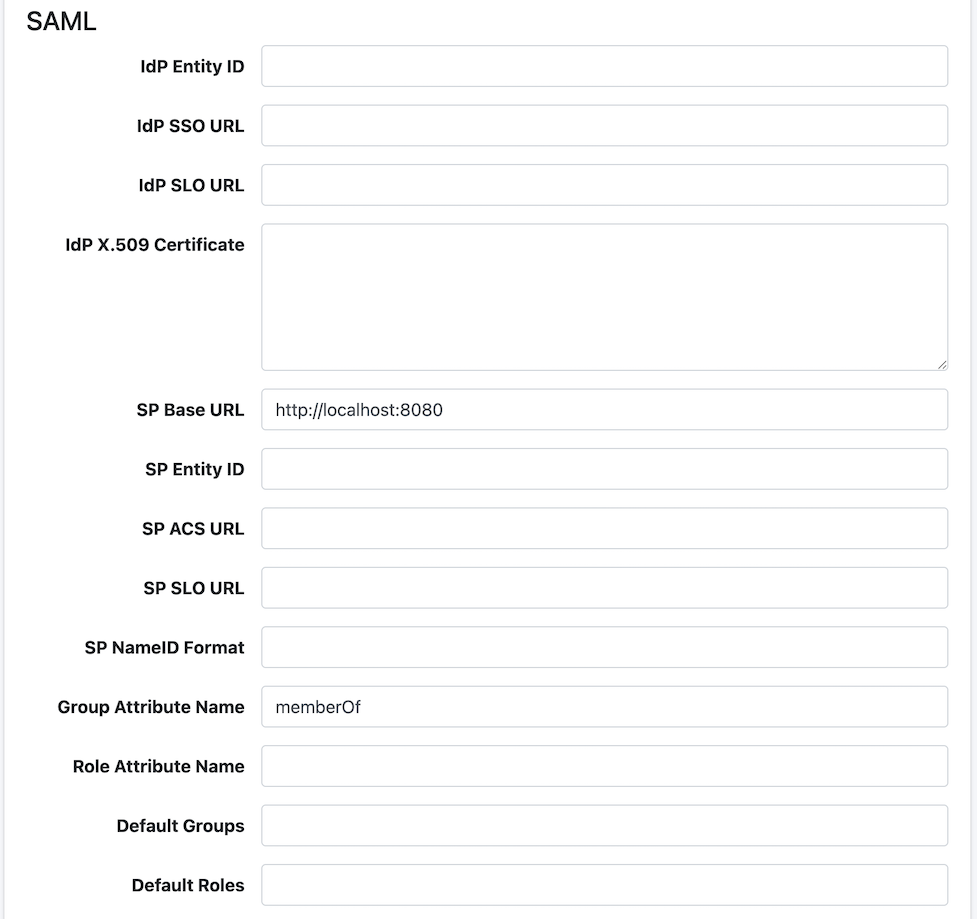
IdP Entity ID
Specifies the entity ID of the IdP (Identity Provider).
IdP SSO URL
Specifies the Single Sign-On service URL of the IdP.
IdP SLO URL
Specifies the Single Logout service URL of the IdP.
IdP X.509 Certificate
Specifies the X.509 public key certificate used for SAML assertion signature verification of the IdP. Specify only the Base64-encoded content without -----BEGIN CERTIFICATE----- and -----END CERTIFICATE----- lines.
SP Base URL
Specifies the base URL of the SAML Service Provider.
SP Entity ID
Specifies the entity ID of the SP (Service Provider). Automatically configured when SP Base URL is set.
SP ACS URL
Specifies the Assertion Consumer Service (ACS) URL that receives SAML assertions. Automatically configured when SP Base URL is set.
SP SLO URL
Specifies the Single Logout service URL of the SP. Automatically configured when SP Base URL is set.
SP NameID Format
Specifies the NameID format used in SAML assertions.
Group Attribute Name
Specifies the attribute name to retrieve groups from the SAML response.
Role Attribute Name
Specifies the attribute name to retrieve roles from the SAML response.
Default Groups
Specifies the default groups to assign to users during SAML authentication.
Default Roles
Specifies the default roles to assign to users during SAML authentication.
SPNEGO
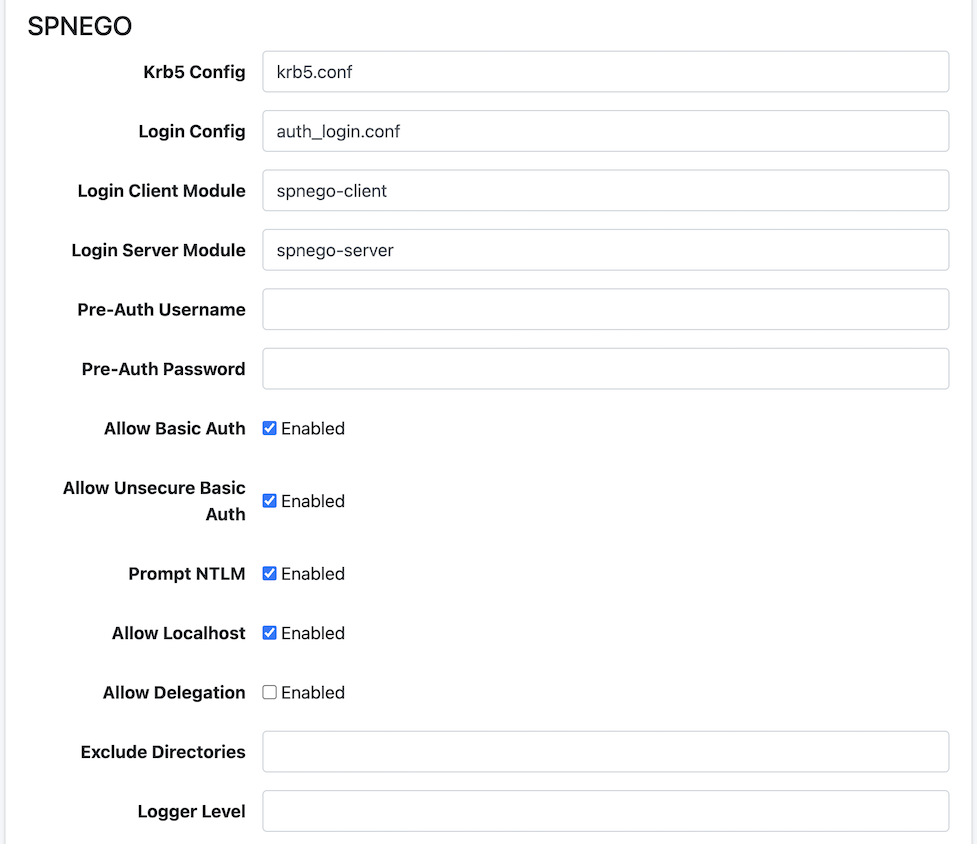
Krb5 Config
Specifies the path to the Kerberos 5 configuration file.
Login Config
Specifies the path to the JAAS (Java Authentication and Authorization Service) login configuration file.
Login Client Module
Specifies the JAAS client login module name.
Login Server Module
Specifies the JAAS server login module name.
Pre-Auth Username
Specifies the username for SPNEGO pre-authentication.
Pre-Auth Password
Specifies the password for SPNEGO pre-authentication.
Allow Basic Auth
Specify whether to allow Basic authentication fallback.
Allow Unsecure Basic Auth
Specify whether to allow Basic authentication over unsecure (HTTP) connections.
Prompt NTLM
Specify whether to enable NTLM prompt.
Allow Localhost
Specify whether to allow access from localhost.
Allow Delegation
Specify whether to allow Kerberos delegation.
Exclude Directories
Specifies directories to exclude from SPNEGO authentication.
Logger Level
Specifies the log output level for SPNEGO authentication as a numeric value.
Entra ID
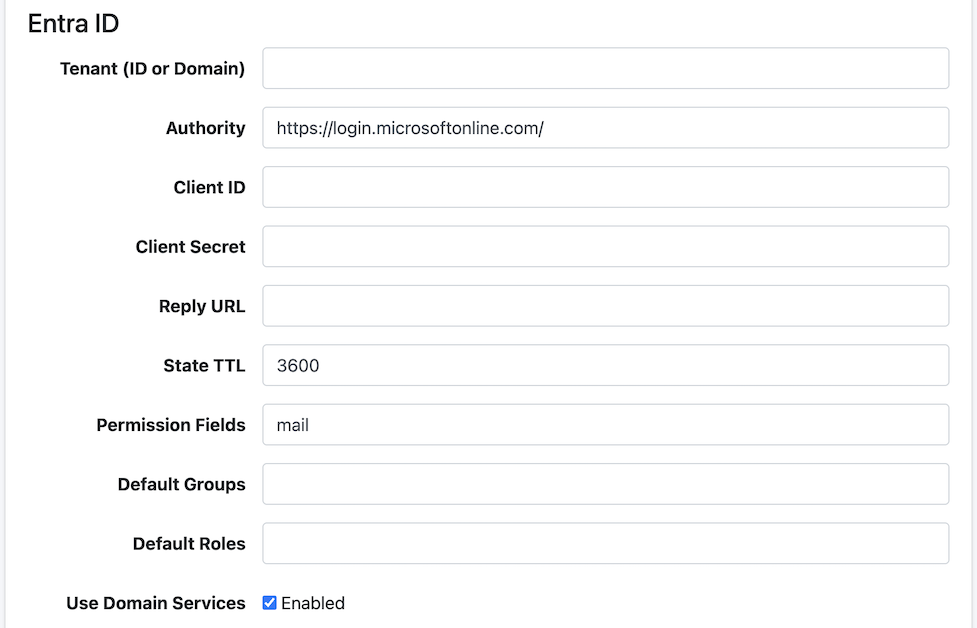
Tenant (ID or Domain)
Specifies the tenant ID or domain for Microsoft Entra ID.
Client ID
Specifies the application (client) ID for Microsoft Entra ID.
Client Secret
Specifies the client secret for Microsoft Entra ID.
State TTL
Specifies the time-to-live (TTL) for the authentication state.
Permission Fields
Specifies the fields to retrieve permission information from Entra ID.
Default Groups
Specifies the default groups to assign to users during Entra ID authentication.
Default Roles
Specifies the default roles to assign to users during Entra ID authentication.
Use Domain Services
Specify whether to use Entra ID Domain Service.
Notice
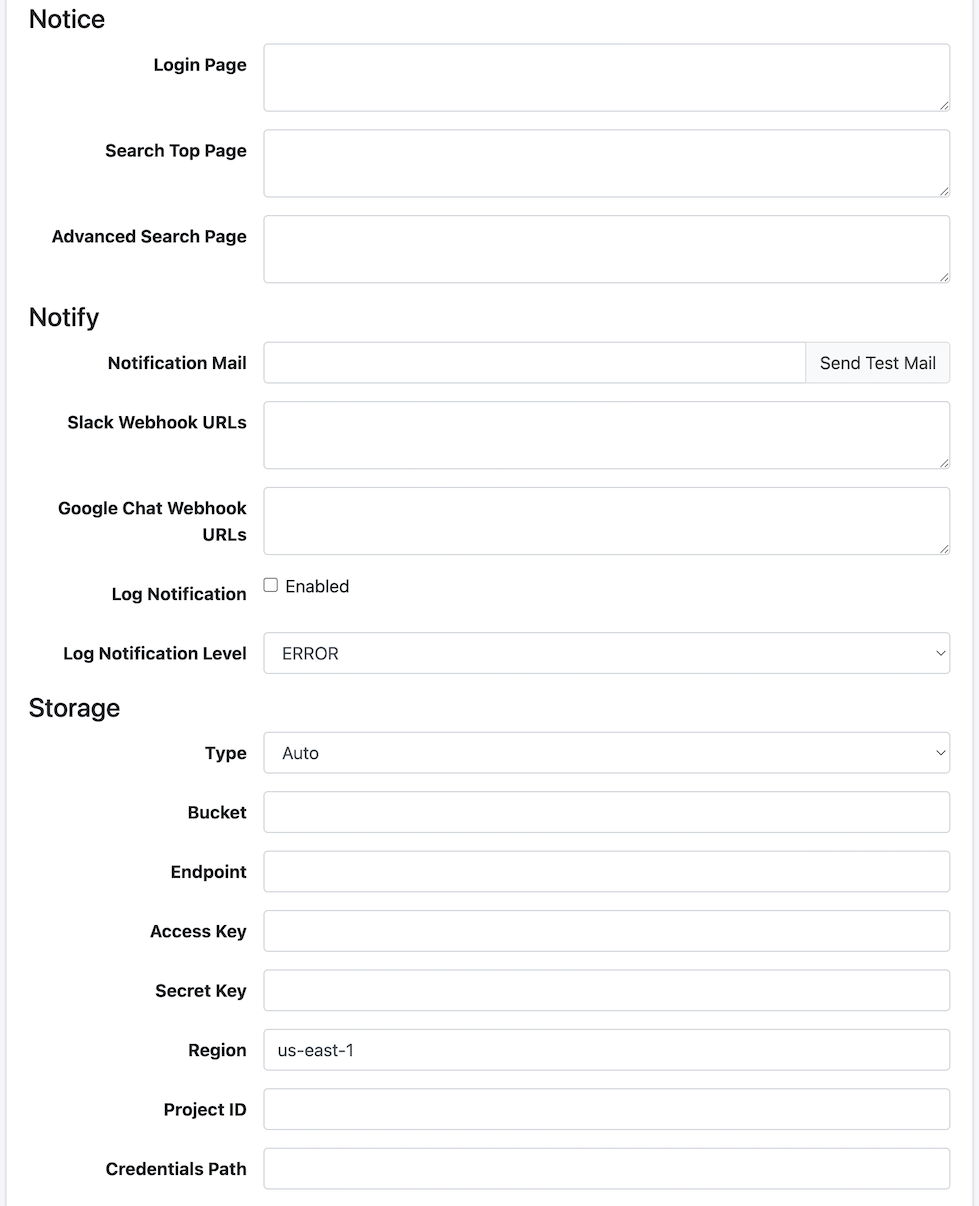
Login Page
Enter the message to display on the login screen.
Search Top Page
Enter the message to display on the search top screen.
Advanced Search Page
Enter the message to display on the advanced search screen.
Notify
Notification Mail
Specify the email address to notify when crawling is complete. Multiple addresses can be specified separated by commas. A mail server is required to use this feature.
Slack Webhook URLs
Specifies the webhook URL for Slack notifications.
Google Chat Webhook URLs
Specifies the webhook URL for Google Chat notifications.
Log Notification
Specifies whether to enable the log notification feature that automatically captures ERROR and WARN level log events and sends notifications. For details, see Log Notification Configuration.
Log Notification Level
Specifies the log level threshold for log notifications. Log events at the selected level and above will be notified.
ERROR: Notify errors only (default)
WARN: Notify warnings and above
INFO: Notify info and above
DEBUG: Notify debug and above
TRACE: Notify all logs
Storage
After configuring each item, a [System > Storage] menu will appear in the left menu. For file management, see Storage.
Type
Specifies the storage type. When “Auto” is selected, the storage type is automatically determined from the endpoint.
Auto: Auto-detect from endpoint
S3: Amazon S3
GCS: Google Cloud Storage
Bucket
Specifies the bucket name to manage.
Endpoint
Specifies the endpoint URL of the storage server.
S3: Uses AWS default endpoint if left blank
GCS: Uses Google Cloud default endpoint if left blank
MinIO, etc.: The endpoint URL of the MinIO server
Access Key
Specifies the access key for S3 or S3-compatible storage.
Secret Key
Specifies the secret key for S3 or S3-compatible storage.
Region
Specifies the S3 region (e.g., ap-northeast-1).
Project ID
Specifies the Google Cloud project ID for GCS.
Credentials Path
Specifies the path to the service account credentials JSON file for GCS.
Examples
LDAP Configuration Example
| Name | Value (LDAP) | Value (Active Directory) |
|---|---|---|
| LDAP URL | ldap://SERVERNAME:389 | ldap://SERVERNAME:389 |
| Base DN | cn=Directory Manager | dc=fess,dc=codelibs,dc=org |
| Bind DN | uid=%s,ou=People,dc=fess,dc=codelibs,dc=org | manager@fess.codelibs.org |
| User DN | uid=%s,ou=People,dc=fess,dc=codelibs,dc=org | %s@fess.codelibs.org |
| Account Filter | cn=%s or uid=%s | (&(objectClass=user)(sAMAccountName=%s)) |
| Group Filter | (member:1.2.840.113556.1.4.1941:=%s) | |
| memberOf | isMemberOf | memberOf |