
Overview
File Crawling registers documents from internal file servers, Windows shared folders, and cloud storage into the Fess index, enabling full-text search (file server search). It supports a wide range of file formats, including Word, Excel, PowerPoint, and PDF.
The File Crawling configuration page allows you to configure settings for crawling files in the file system or shared network folders.
Crawl targets are determined by the protocol specified in the path:
file:/… local or mounted file systemsmb://… Windows file server / shared folder (SMB/CIFS)ftp:///ftps://… FTP servers3://… Amazon S3 bucketgcs://… Google Cloud Storage bucket
Configuration Management
Display Method
To open the File Crawling configuration list page, click [Crawler > File System] in the left menu.
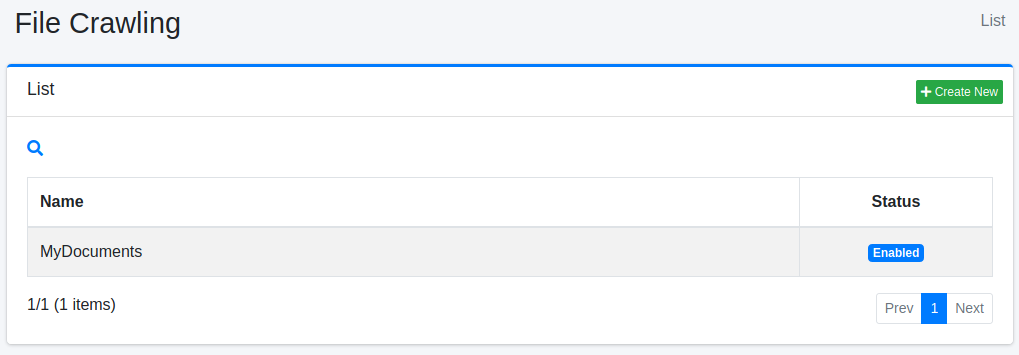
Click the configuration name to edit it.
Creating a Configuration
Click the “Create New” button to open the File Crawling configuration page.
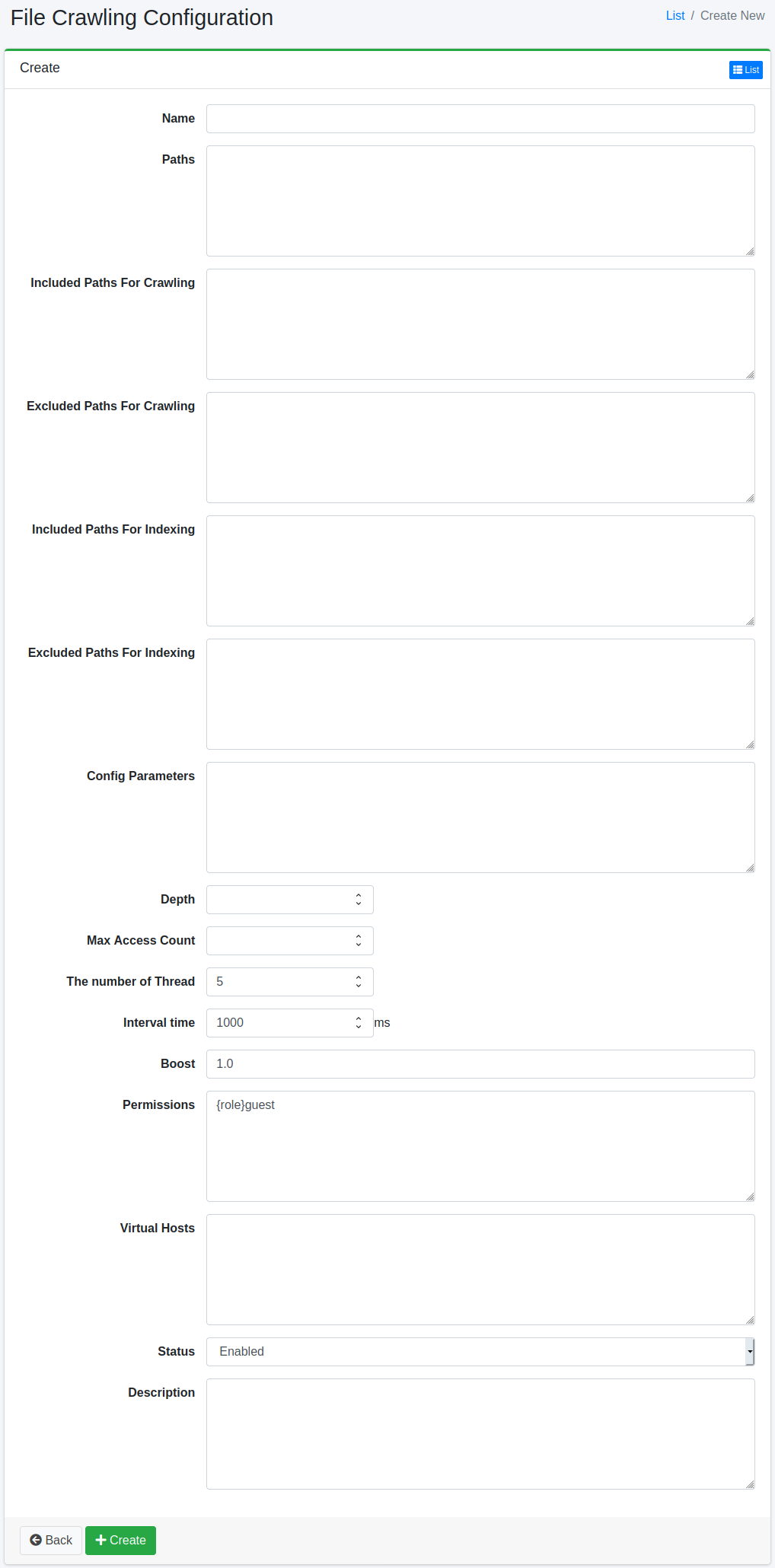
Configuration Options
Name
Configuration name.
Path
This path specifies where to start crawling (e.g., file:/, smb://, s3://, gcs://).
Included Paths for Crawling
Paths matching this regular expression (Java format) will be crawled by the Fess crawler.
Excluded Paths for Crawling
Paths matching this regular expression (Java format) will not be crawled by the Fess crawler.
Included Paths for Indexing
Paths matching this regular expression (Java format) will be included in the search index.
Excluded Paths for Indexing
Paths matching this regular expression (Java format) will be excluded from the search index.
Configuration Parameters
Specifies crawl configuration information.
Depth
Specifies the depth of the file system structure to crawl.
Max Access Count
The number of paths to index.
Number of Threads
The number of threads to use for this configuration.
Interval
The time interval to wait when threads crawl each path.
Boost Value
The boost value is the priority of documents indexed by this configuration.
Permissions
Specifies permissions for this configuration. The permission format is as follows: to display search results to users in the developer group, specify {group}developer. User-level: {user}username, Role-level: {role}rolename, Group-level: {group}groupname.
Virtual Host
Specifies the virtual host hostname. For details, see Virtual Hosts in the Configuration Guide.
Status
If enabled, the default crawler’s scheduled job will include this configuration.
Description
Enter a description.
Deleting a Configuration
Click the configuration name on the list page, then click the “Delete” button to display a confirmation screen. Click the “Delete” button to remove the configuration.
Examples
Crawling Local Files
To crawl files under /home/share, the configuration values are as follows:
| Configuration Item | Value |
|---|---|
| Name | Share Directory |
| Path | file:/home/share |
Other parameters can use default settings.
Crawling Amazon S3 Buckets
To crawl files in the my-bucket bucket, the configuration values are as follows:
| Configuration Item | Value |
|---|---|
| Name | S3 Bucket |
| Path | s3://my-bucket/ |
S3 access requires authentication credentials. Add the following to “Configuration Parameters”:
Crawling Google Cloud Storage Buckets
To crawl files in the my-gcs-bucket bucket, the configuration values are as follows:
| Configuration Item | Value |
|---|---|
| Name | GCS Bucket |
| Path | gcs://my-gcs-bucket/ |
GCS access requires authentication credentials. Add the following to “Configuration Parameters”: