
Overview
This page explains the configuration settings related to path mapping. Path mapping is a feature that uses regular expressions to transform URLs of documents crawled by Fess. For example, it can be used when you want to crawl documents from a file server (paths starting with file://) and make them accessible via a web server (http://) from search results.
Management Operations
Display Method
To open the path mapping configuration list page shown below, click [Crawler > Path Mapping] in the left menu.
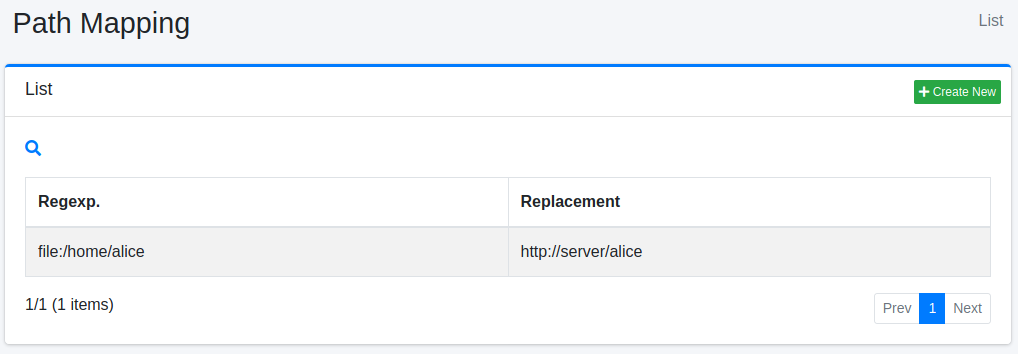
Click the configuration name to edit it.
Creating Configuration
To open the path mapping configuration page, click the New button.
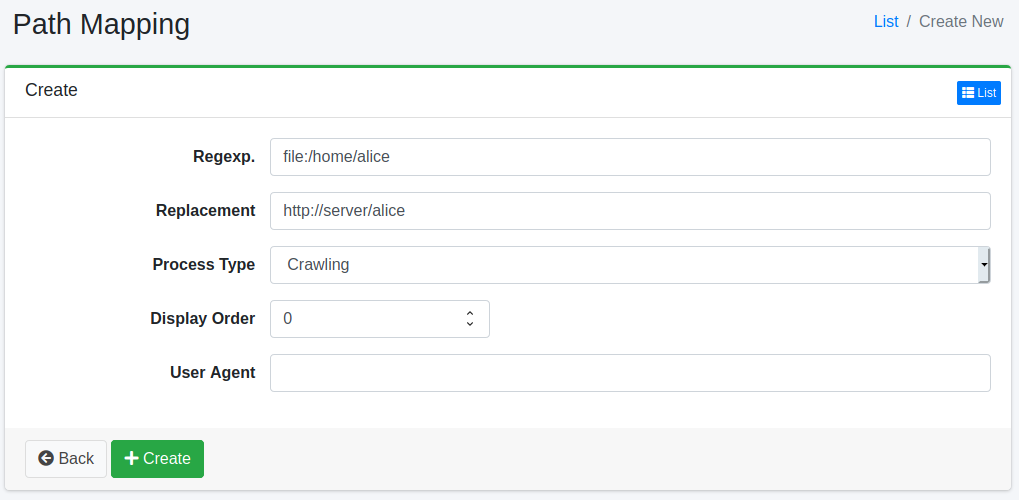
Configuration Items
Regular Expression
Specifies the string to replace. Notation follows Java regular expressions.
Replacement
Specifies the string to replace the matched regular expression.
Process Type
Specifies the timing of replacement. Select the appropriate type according to your purpose.
- Crawling
Replaces the URL after document retrieval during crawling, before indexing. The converted URL is saved to the index. Use this when you want to convert file server paths to web server URLs and save them to the index.
- Displaying
Replaces the URL before displaying search results and when clicking search result links. URLs stored in the index are not changed. Use this when you want to keep the original URL in the index but convert it to a different URL only when displaying search results.
- Crawling/Displaying
Replaces the URL during both crawling and displaying. Use this when you want to apply the same conversion at both crawling and displaying timings.
- Extracted URL Conversion
Replaces link URLs when extracting links from HTML documents. Only effective with web crawler (not effective with file crawler). URLs saved to the index are not changed. Use this when you want to convert link URLs extracted from HTML and add them to the crawl queue.
Display Order
Specifies the processing order of path mapping. Processed in ascending order.
User Agent
Specify this when you want to apply path mapping only to specific user agents. Matching is done using regular expressions. If not set, it applies to all requests.
Deleting Configuration
Click the configuration name on the list page, then click the Delete button to display a confirmation screen. Click the Delete button to remove the configuration.
Examples
Accessing File Server via Web Server
This is an example configuration for crawling documents from a file server and making them accessible via a web server from search results.
| Configuration Item | Value |
|---|---|
| Regular Expression | file:/srv/documents/ |
| Replacement | http://fileserver.example.com/documents/ |
| Process Type | Crawling |
With this configuration, URLs are saved to the index as http://fileserver.example.com/documents/....
Converting URL Only at Display Time
This is an example configuration for keeping the original file path in the index and converting to a web server URL only when displaying search results.
| Configuration Item | Value |
|---|---|
| Regular Expression | file:/srv/documents/ |
| Replacement | http://fileserver.example.com/documents/ |
| Process Type | Displaying |
With this configuration, URLs are saved to the index as file:/srv/documents/..., and converted to http://... when clicking search results.
Link Conversion During Server Migration
This is an example configuration for converting links in HTML from an old server to a new server when crawling a website.
| Configuration Item | Value |
|---|---|
| Regular Expression | http://old-server\\.example\\.com/ |
| Replacement | http://new-server.example.com/ |
| Process Type | Extracted URL Conversion |
With this configuration, links extracted from HTML are converted and added to the crawl queue.
Notes
About Extracted URL Conversion
Extracted URL Conversion is only effective with the web crawler. It is not applied when crawling file systems. Also, URLs saved to the index are not changed; it only converts URLs added to the crawl queue.
About Regular Expressions
Regular expressions are written in Java regular expression format.
Back references (
$1,$2, etc.) can be usedSpecial characters need to be escaped (e.g.,
.→\\.)
About Sort Order
Path mappings are applied sequentially in the configured sort order (ascending). When multiple path mappings match, they are applied starting from the first match.